

AV control · Cincinnati, NKY & SE Indiana
The brain of every room
Control Point by Tri-State AV runs your TVs, audio zones, sources and lighting from one touchscreen. Proven in busy bars, restaurants and businesses across the Tri-State, and installed and supported by Tri-State AV.
- One touchscreen
- TVs, audio & lights
- One-tap scenes
- Proven in busy businesses
- Local support
What it controls
No more remote pile
Instead of a drawer of remotes and a wall of switches, your staff use one screen that shows every room.
TVs
Turn TVs on and off, alone or all together, from one screen.
Sources
Pick what plays on each TV: cable, streaming, music video or your menu board.
Audio zones
Set the volume for each zone, so the bar can be loud while the dining room stays calm.
Lighting
Raise or lower lighting levels in each area without hunting for switches.
Scenes
One tap sets the room: a “Game Day”, “Dinner” or “Close” preset, set up for how you run.
Remote support
Tri-State AV can help remotely when something needs a change, and we are local if we need to come by.
Try it: interactive demo
Tap around a sample bar
This is a simplified mock-up of the Control Point panel. Pick a room, switch TVs, change sources, slide the volume and lights, or try a scene. Nothing here controls real equipment.
The interactive demo is a simplified mock-up with sample room names and does not control real equipment. Control Point by Tri-State AV is installed and supported by Tri-State AV in businesses across the Tri-State; features and setup are tailored to each site.
What's new in Control Point by Tri-State AV
Simpler for staff. Smarter behind the scenes.
Control Point by Tri-State AV keeps getting better. Here's what we've added: a one-tap start screen, a full Sports page, live system status, a built-in Help troubleshooter and panels that update themselves.
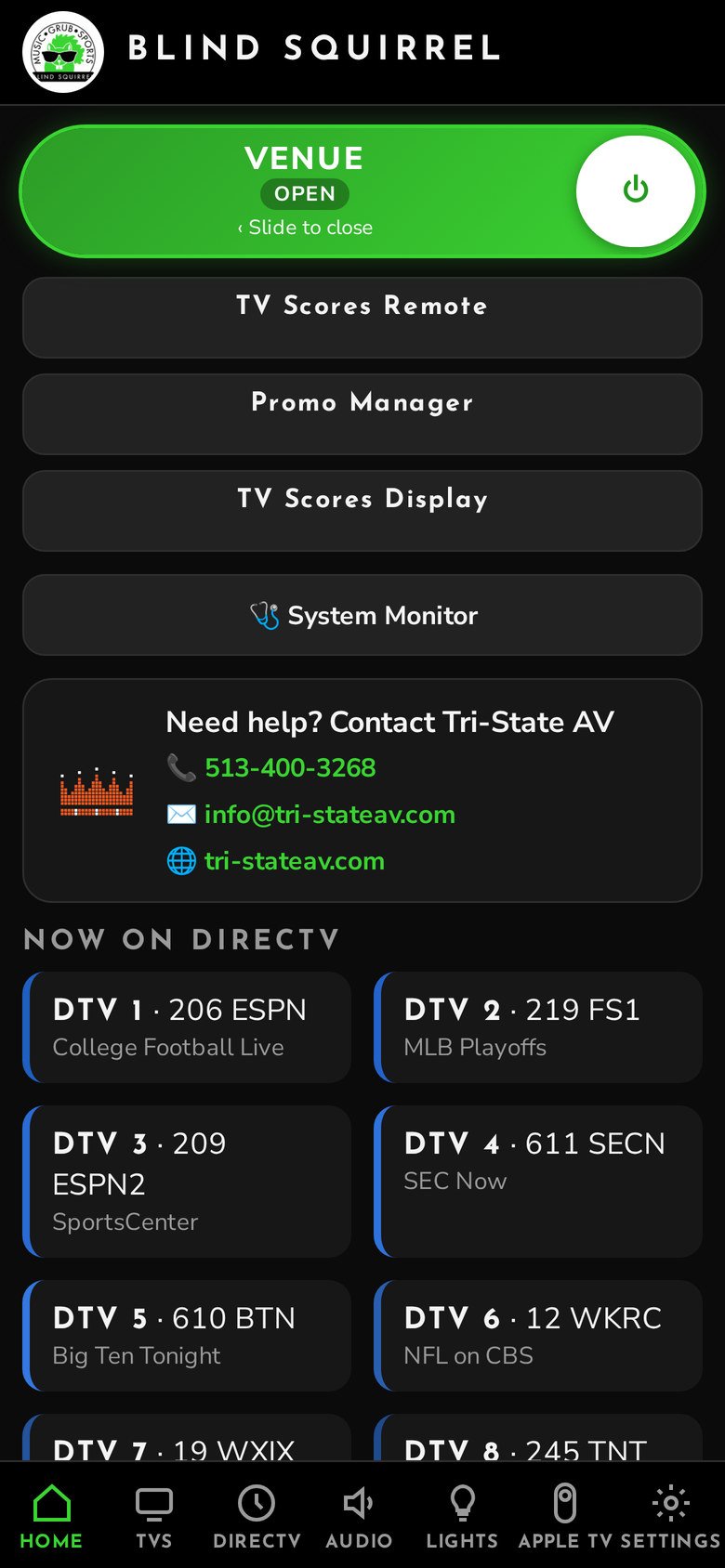
Now running at Blind Squirrel and Up There.
Easier everyday control
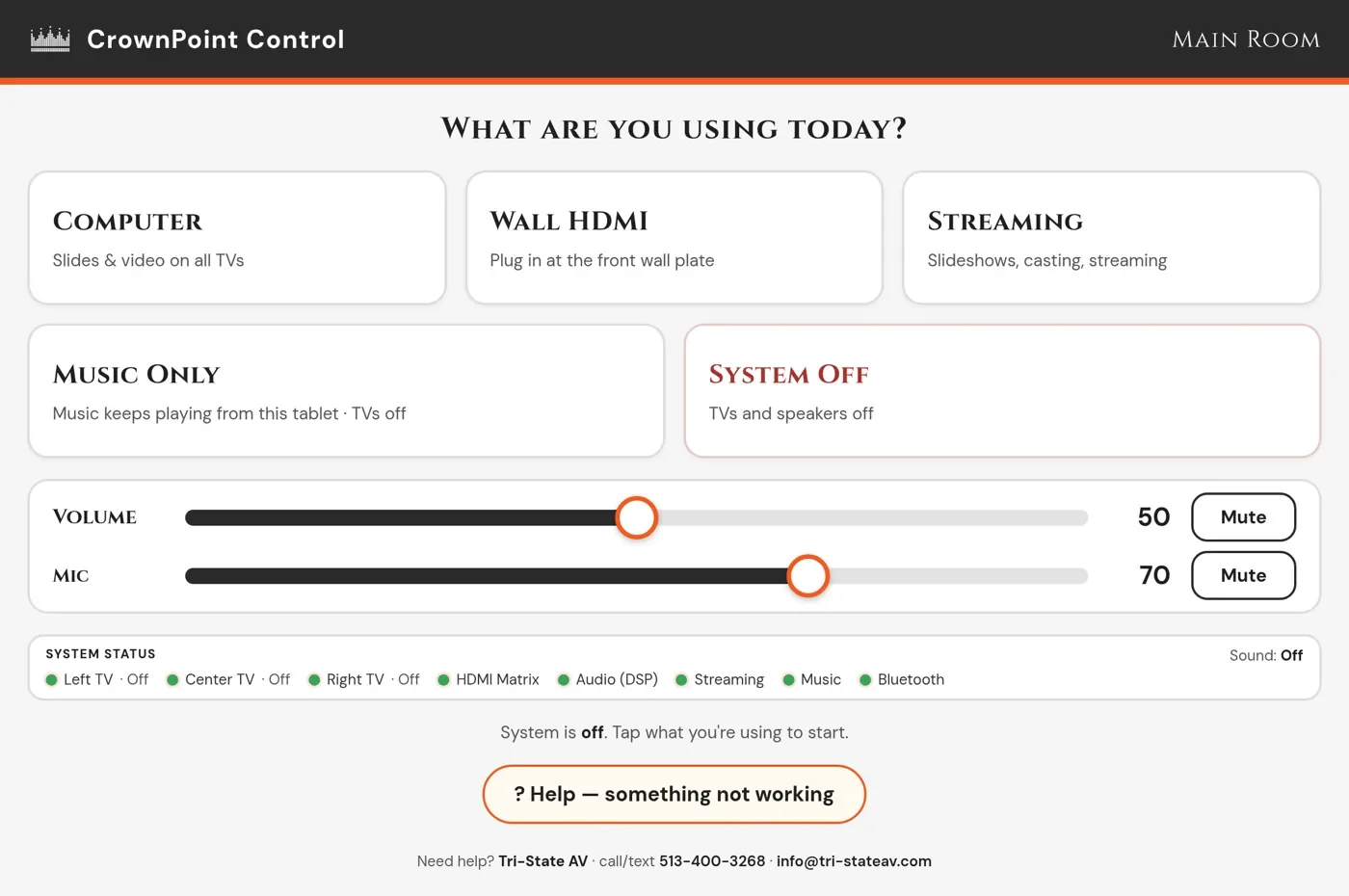
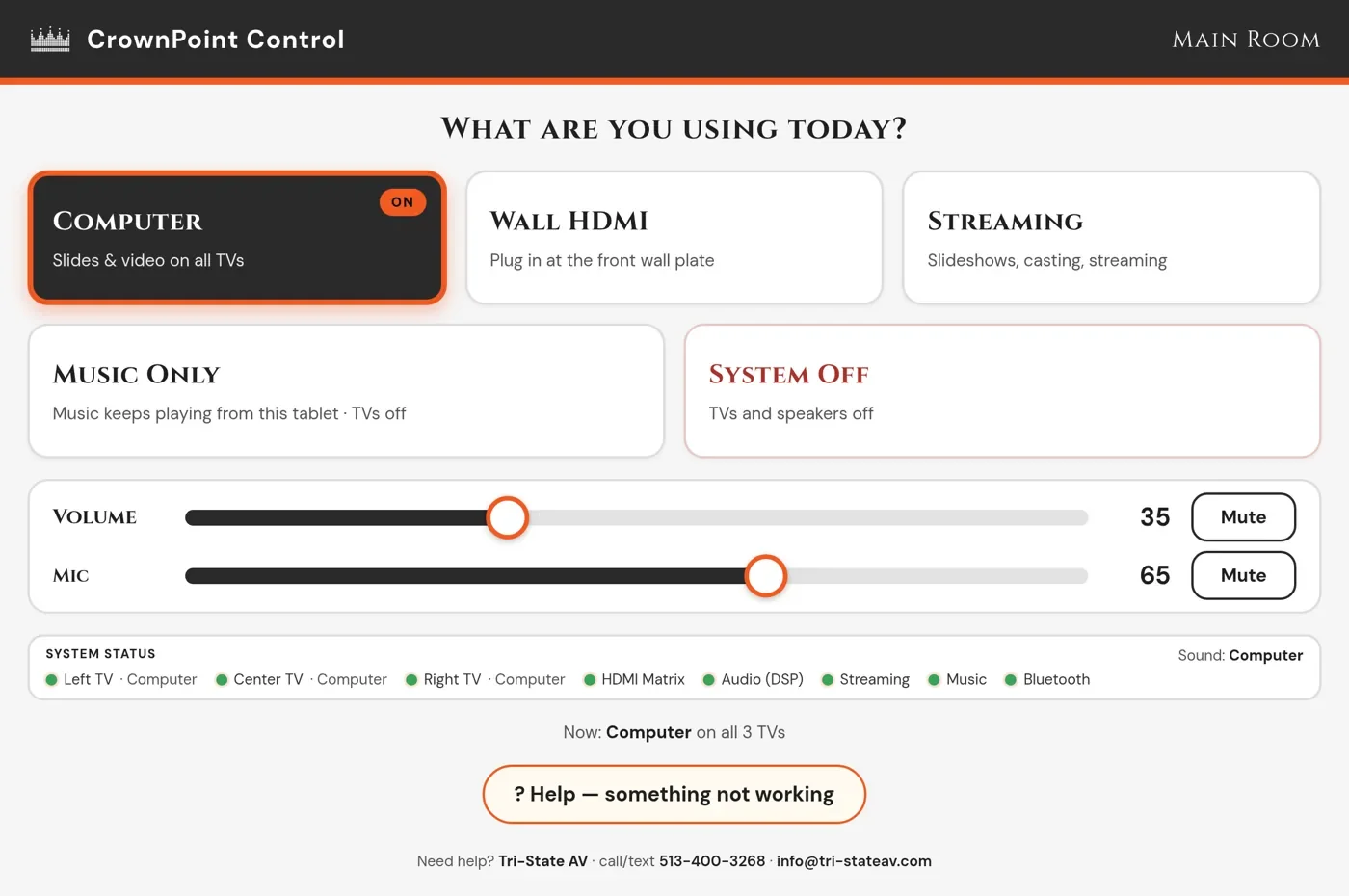
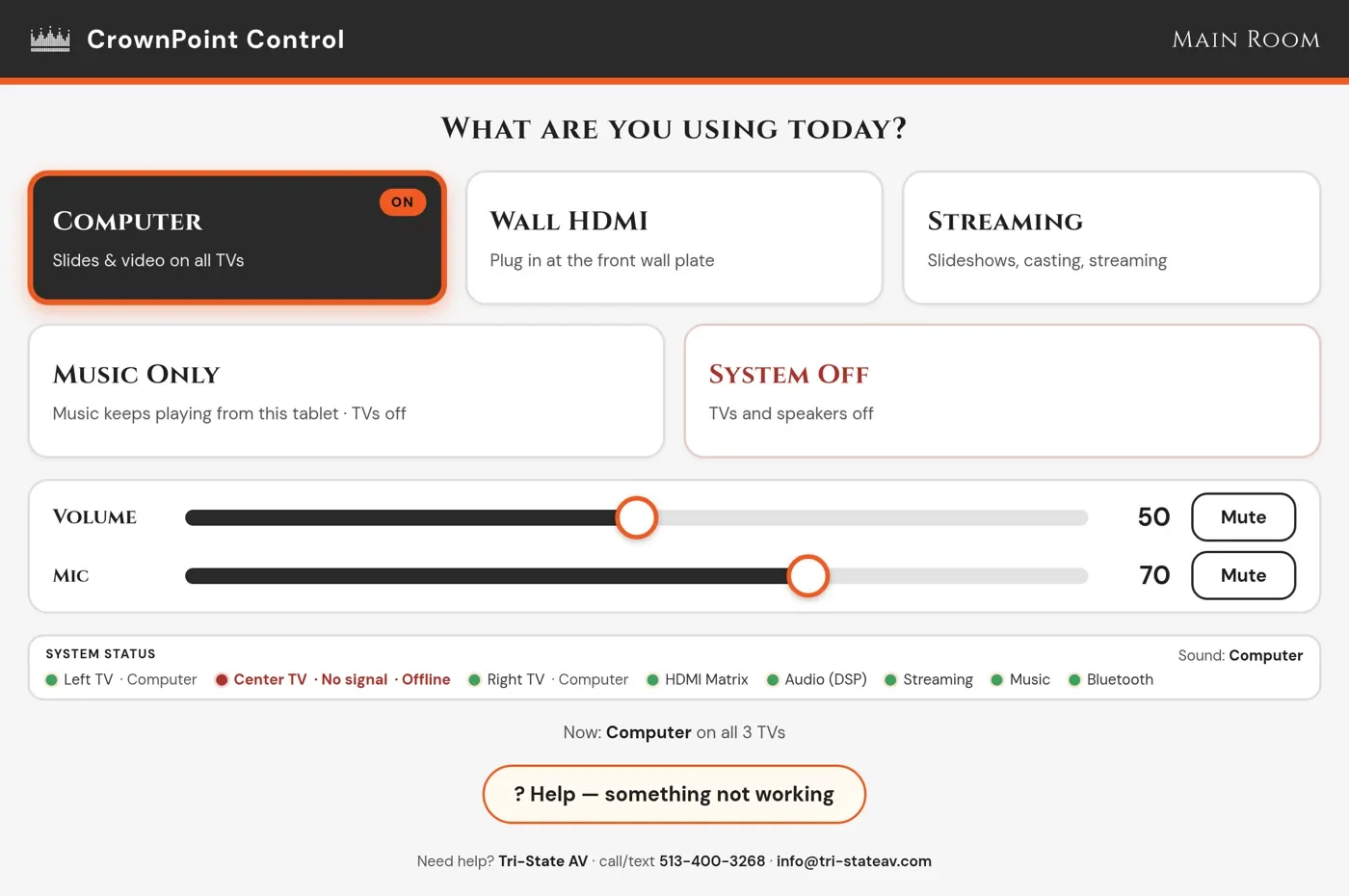
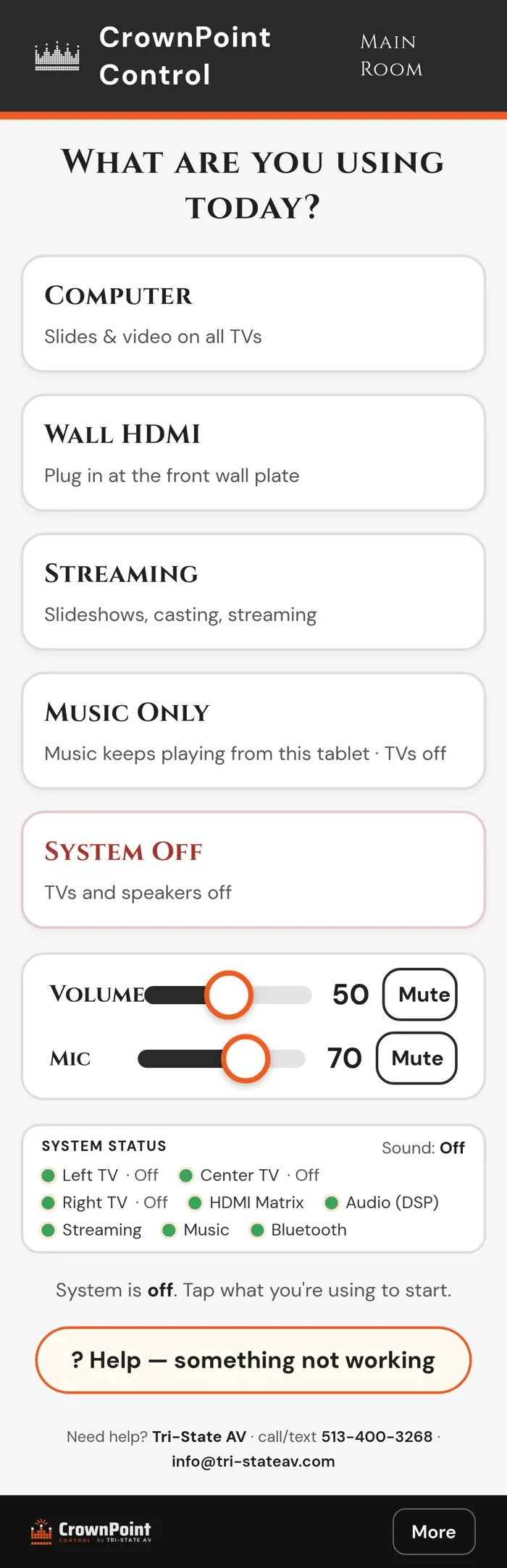
- "What are you using today?" Pick a source and the system turns on the TVs, routes the picture and sets the speakers and mics. System Off shuts it all down.
- Separate Volume and Mic sliders, each with its own Mute button.
- Audio and video kept separate. Run a slideshow on the TVs while music plays from another source, or use Music Only with the TVs off.
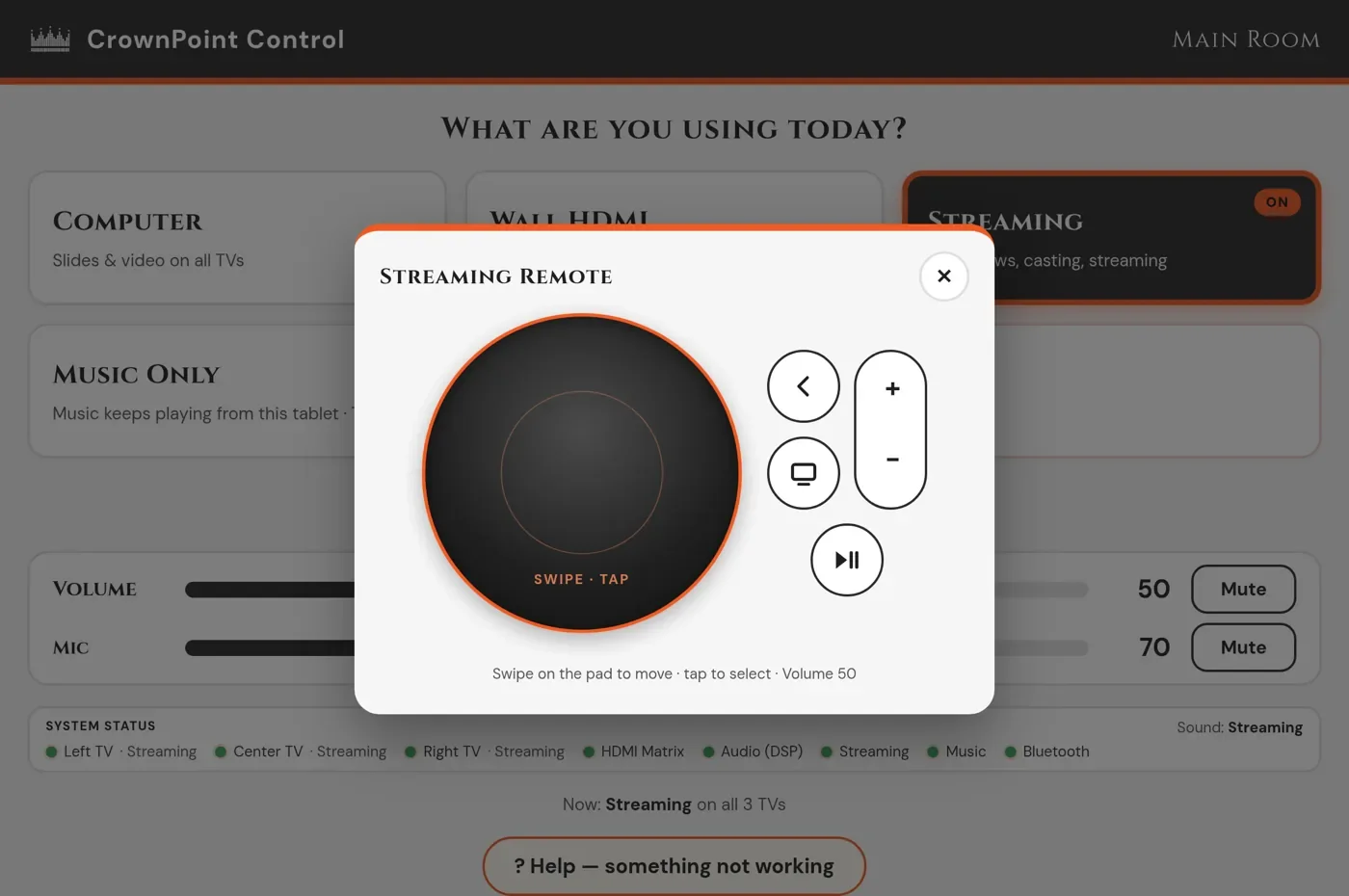
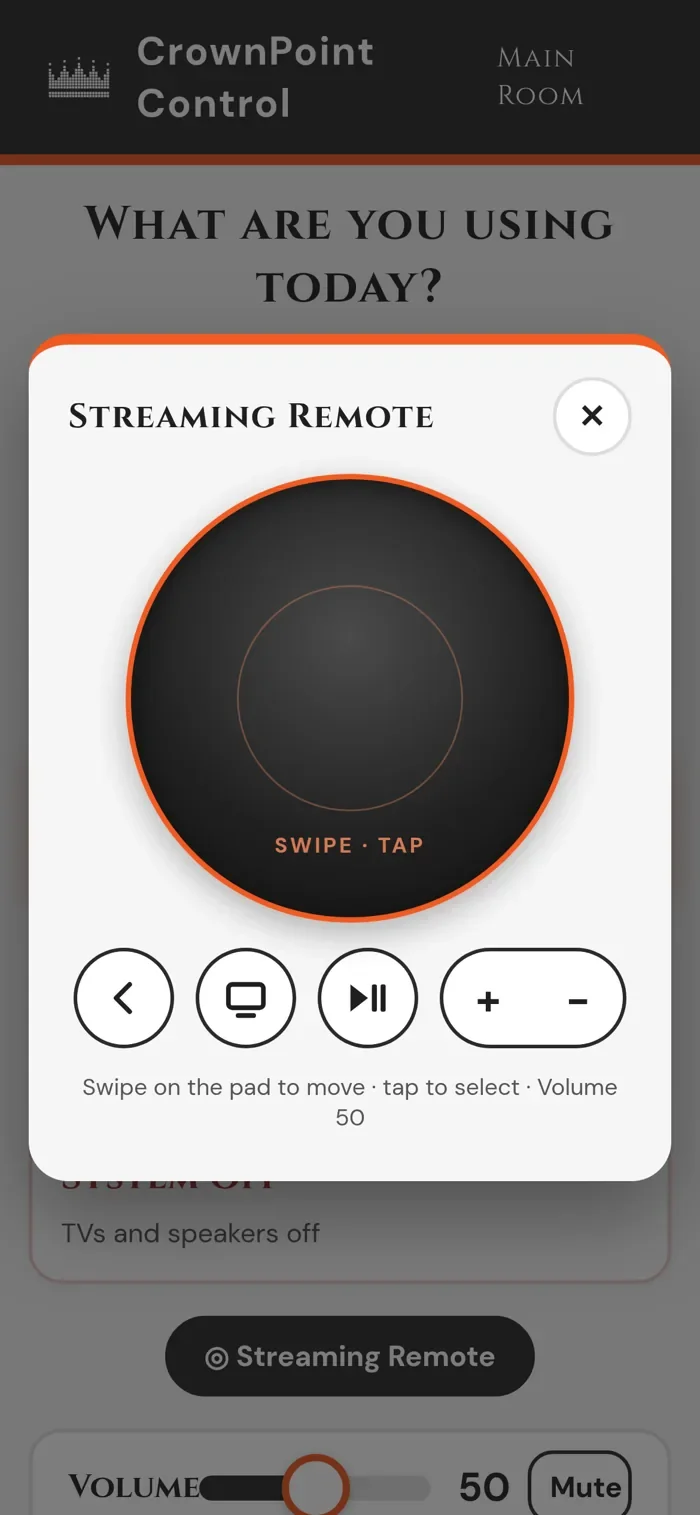
- Streaming remote pop-up with a swipe-and-tap trackpad plus Back, Home, Play/Pause and volume.
- Color-coded sources. Every TV is tinted to match the box it's showing, and live channels show in a small tag.
Sports page
- 19 leagues in tabs with real team and league logos and a count of today's games. Leagues with nothing on are dimmed.
- Tap a game to tune a box. Press and hold to tune it and send it to the TVs you picked.
- The Sports button only appears on days when games are on.
- The scores display can show your daily specials and events too.
Always know what's working
- Live status strip. A green or red dot for every TV, switcher, audio processor and player, plus what's playing. It updates every few seconds.
- Smarter checks. A TV that's asleep in standby shows as OK, not as a fault.
- Activity Log lists every command and status change: when, where, whether it worked and which phone or tablet sent it. You can filter it.
- Tri-State AV watches every connected site from a central dashboard.
Help when you need it
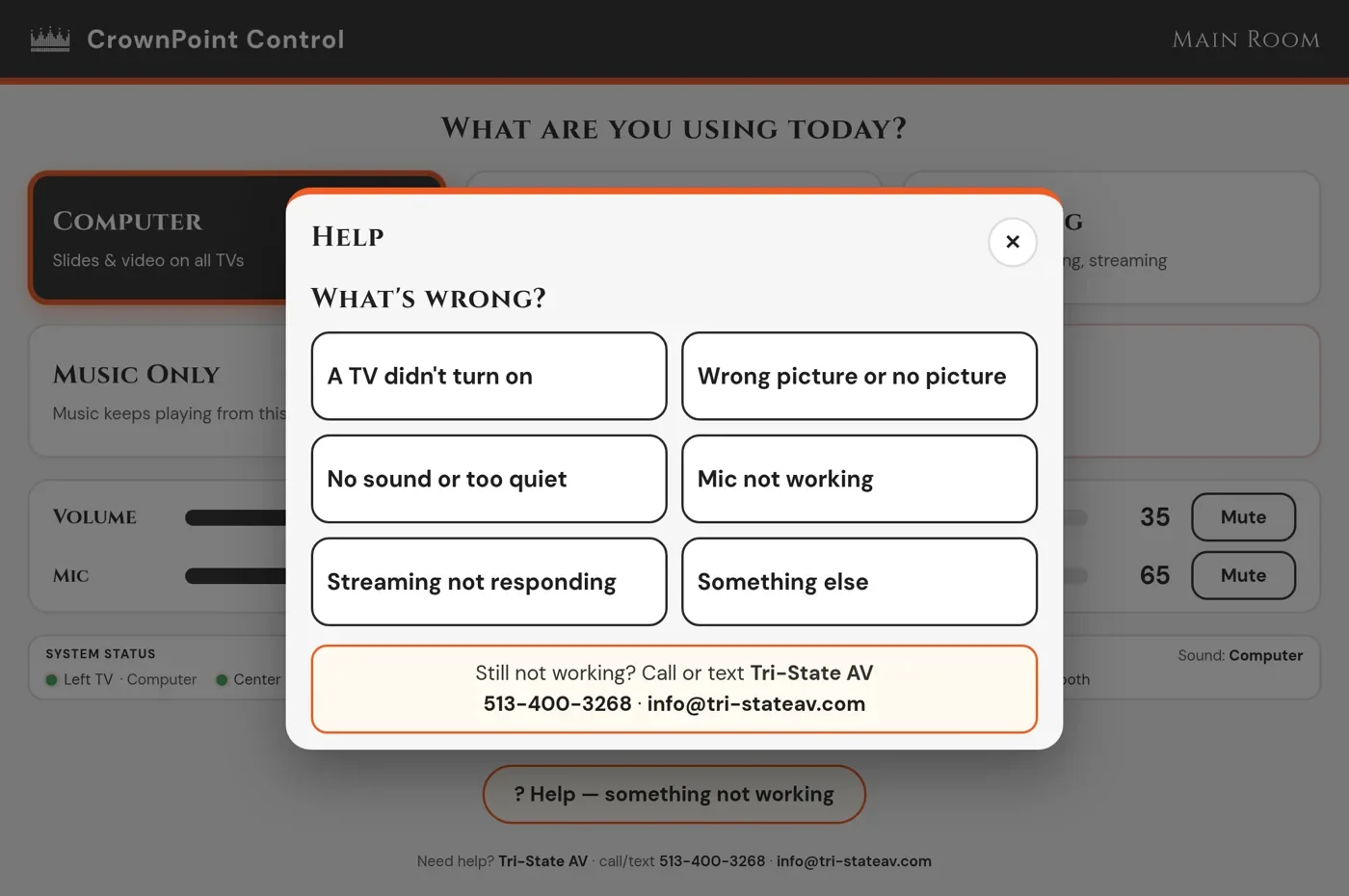
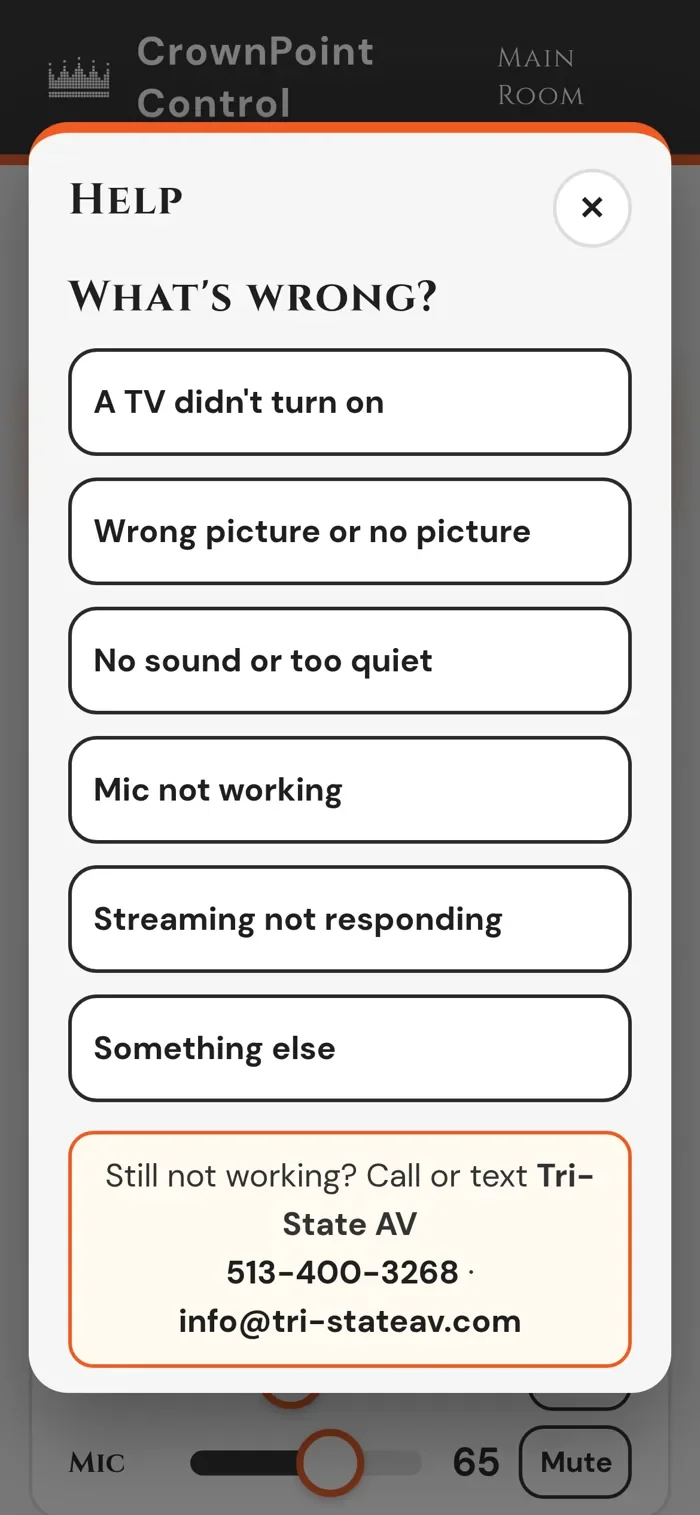
- Built-in troubleshooter with big, simple choices: TV didn't turn on, wrong picture, no sound, mic not working, streaming player stuck, something else.
- "Try to fix it" resends power and input, resets levels or wakes the player, then shows the result for each device.
- Still stuck? Call, text or email us with one tap.
Built for your business
- Your branding: your colors, logo and fonts.
- Works on wall-mounted tablets, handheld tablets and phones. Add it to the home screen like an app.
- PIN-locked More menu gives managers control of each TV, zone and source.
- Demo mode lets us show you how Status and Help respond when a device goes offline.
Secure & low-maintenance
- Secure remote access from your phone over an encrypted link, confirmed by an emailed sign-in code.
- Panels update themselves within about a minute, never while someone is using them.
- TV guide data refreshes daily. Off-site backups run after updates and never include passwords or device keys.
- Runs on its own AV network, apart from your office network.
See it in action
Tablet and phone screens
Tablet
Phone
Want to see the new Control Point in your space? Call or text 513-400-3268.
Free Site SurveyScreens shown use a sample setup. Features and layout are tailored to each site.
Premier includes Control Point by Tri-State AV monitoring, so we spot problems before your customers do.
See Premier